Ammox X1-400
產品介紹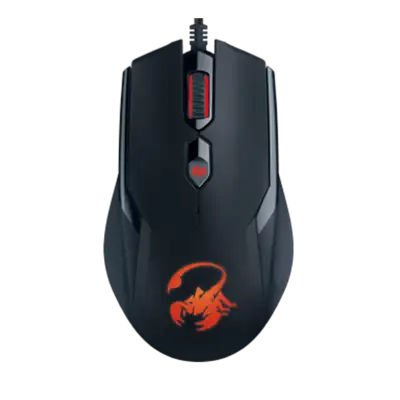
SmartGenius App(with 64bit.32bit)
DOWNLOADPLEASE NOTE
(1)Please uninstall your old version of SmartGenius app first, then you can download and reinstall the new one.
(2)Confirm your version after you installed the new one.
Ammox X1-400-User's manual
DOWNLOADAmmox X1-400(Multi-language) Download
*including:ENG/RUS/GER/FRE/ITA/SPA/BRA/CZE/HUN/POL/SLV/SLK/SER/ROM/BUL/TUR/UKR/EST/LAT/LIT/KAZ/ARA/INDO/TC
What is your global warranty on your products?
Unfortunately, we do not offer global warranty on our products.
We have some problems with your product. I need a service manual to check for potential problems, so can repair it ourselves.
Unfortunately, we do not provide technical manuals to end users, you can contact customer support for assistance.
I have a mouse with the Genius app, when I install Smart Genius software, it does not find my device. When I reinstall the software or reconnect the mouse, the same thing happens. It cannot find any genius device, what can I do?
Change new battery. The mouse should work normal even if you don’t install the driver UI. But if the problem is the same after changing on different laptop, the product is broken.
I am working on Mac System. After installation of SmartGenius, one system dialog
When such dialog is shown, please follow the steps:
- Click the ""Open Security Preferences"".
- Click ""Allow"" after text ""System Software from developer ""KYE SYSTEMS CORP."" was blocked from loading"".
If you did not enable the settings right after the installation, you can always go to ""System Preferences"" -> ""Security & Privacy"", and click ""Allow"" as previous step.
When I use gaming mouse in FPS game, the mouse jolts sometimes. Why?
The mouse jolts on some surfaces, use the bundled mouse pad to solve this problem.
I cannot create Ammox X1-400 left/middle/right button in macros, why?
The Ammox X1-400 cannot record these buttons in macros.