Scorpion K6
Product Overview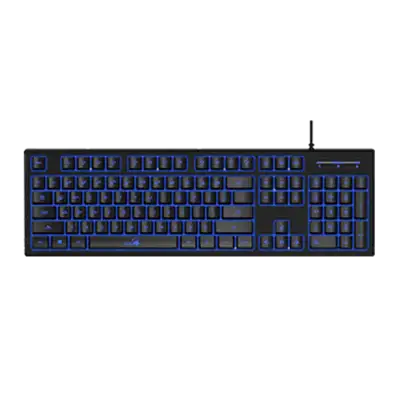
Scorpion K6-TXID Driver for Windows
DOWNLOADScorpion K6-TXID Driver for Windows Download
SmartGenius App(with 64bit.32bit)
DOWNLOADPLEASE NOTE
(1)This application-SmartGenius is applicable to the Scorpion K11 Pro with 【No AI Copilot key】.
(2)Please uninstall your old version of SmartGenius app first, then you can download and reinstall the new one.
(3)Confirm your version after you installed the new one.
Scorpion K6-User's manual
DOWNLOADScorpion K6(Multi-language) Download
Scorpion K6-CE Declaration of Conformity
DOWNLOADScorpion K6-CE Declaration of Conformity Download
Scorpion K6-FCC Report
DOWNLOADScorpion K6-FCC Report Download
Scorpion K6-CE Report
DOWNLOADScorpion K6-CE Report Download
What is your global warranty on your products?
Unfortunately,we do not offer global warranty on our products.
We have some problems with your product. I need a service manual to check for potential problems, so can repair it ourselves.
Unfortunately, we do not provide technical manuals to end users, you can contact customer support for assistance.
I am working on Mac System. After installation of SmartGenius, one system dialog
When such dialog is shown, please follow the steps:
- Click the ""Open Security Preferences"".
- Click ""Allow"" after text ""System Software from developer ""KYE SYSTEMS CORP."" was blocked from loading"".
If you did not enable the settings right after the installation, you can always go to ""System Preferences"" -> ""Security & Privacy"", and click ""Allow"" as previous step.